My Small Business Wiki: The Complete Roblox Guide
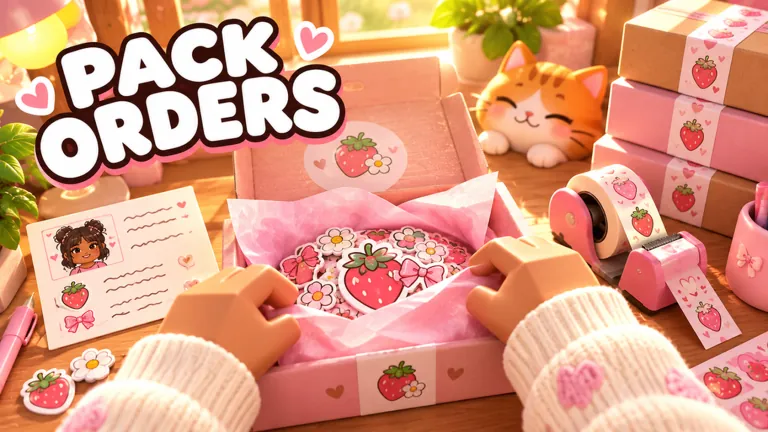
Official My Small Business thumbnail: "Pack Orders". Image: official Roblox game thumbnail (Future CEOs)
Last updated:
My Small Business has no codes as of October 27, 2026. Codes status and free rewards →
What is My Small Business?
🧸 My Small Business is a Roblox simulation tycoon made by the group Future CEOs and released on October 17, 2026. You run a cozy online shop: you design your own products, print and cut them out, take customer orders, and pack each box with cute packaging, thank-you cards and goodies. The coins you earn buy upgrades, and your brand grows "from your bedroom into a warehouse".
It became one of Roblox's fastest-growing new games in its second week, jumping to about 15,000 players online with a 96% like ratio. This wiki covers every system with real numbers from the game, and labels anything not yet confirmed as to be verified.
My Small Business codes
There are no codes yet. The description lists none and no gameplay shows a code box. Free rewards come from quests, the like-and-join reward, Friend Boost and events instead. Codes page →
Create your brand
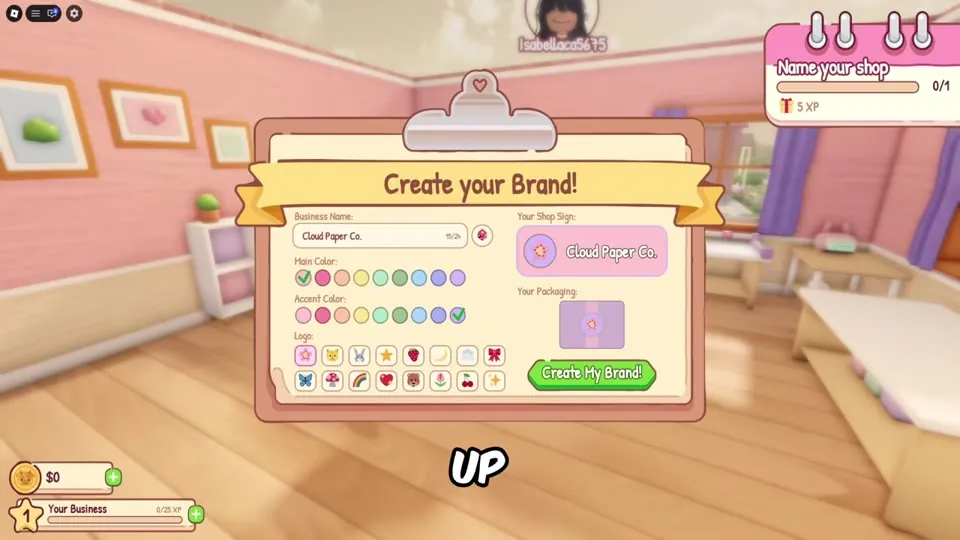
Your first screen is Create your Brand!: choose a business name, a main and accent colour and a logo, and preview your shop sign and packaging. Your brand name then shows beside your level bar.
The core loop
- Design a product in a theme (Designs button).
- Print it and cut it on the mat.
- Stock it on your shelves.
- Print shipping labels at the Label Printer.
- Open Orders, press Start, pick the right items.
- Pack: smallest box, items, goodies, fold, tape, ribbon or label.
- Ship and earn coins + tips + XP.
- Expand: buy upgrades and unlock new products.
Full walkthrough: Beginner's Guide.
Buttons & HUD
| Where | What |
|---|---|
| Left | Shop, Designs, Orders, Expand, Collab |
| Bottom left | Coins, brand name, level and XP bar |
| Top right | Current quest ("Ship 3 orders", "Buy an upgrade") |
| Right | Starter Pack offer timer, Friend Boost % |
Products & unlock levels
| Product | Unlock |
|---|---|
| Sticker | Start (Ocean Sticker sells for $8 each) |
| Bookmark | Bookmark Cardstock, $30 (sells for $12 each) |
| Greeting Card | Level 5 |
| Acrylic Charm | Level 8 |
| Luggage Tag | Level 13 |
| Art Print | Level 17 |
Designs & themes
Eight themes: Animals, Flowers, Sweets, Sky, Love, Nature, Ocean, Fantasy. The editor has brush, eraser, stamp, fill and text tools, colours, paper colour and lots of stamps. Customers order a theme, so drawing skill doesn't affect pay. Design guide →
Orders & packing
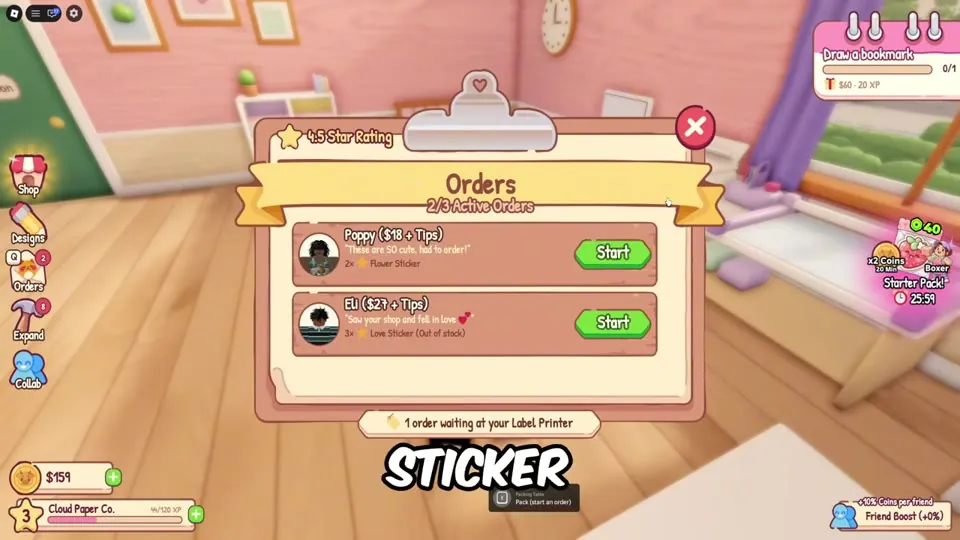
The Orders board shows your star rating, active orders (e.g. 2/3) and each customer's pay ("$18 + Tips"). Choose the smallest box that fits for "Perfect fit +10% tip", then tape and finish with a ribbon or label.
Goodies & tips
| Goodie | Tip |
|---|---|
 Plushie (pass) Plushie (pass) | +25% |
| Freebie | +10% |
| Thank-You Card | +8% |
| Tissue Paper | +8% |
| Seal Sticker | +6% |
Save your best goodies for big orders. Goodies →
How to make money fast
- Print only what orders ask for.
- Perfect-fit boxes (+10%).
- Goodies on big orders.
- Order Clipboard → Big Paper Tray → Printer Turbo → Postage Stamps.
- Do quests and play with friends.
- Your shop earns coins offline (official).
Upgrades
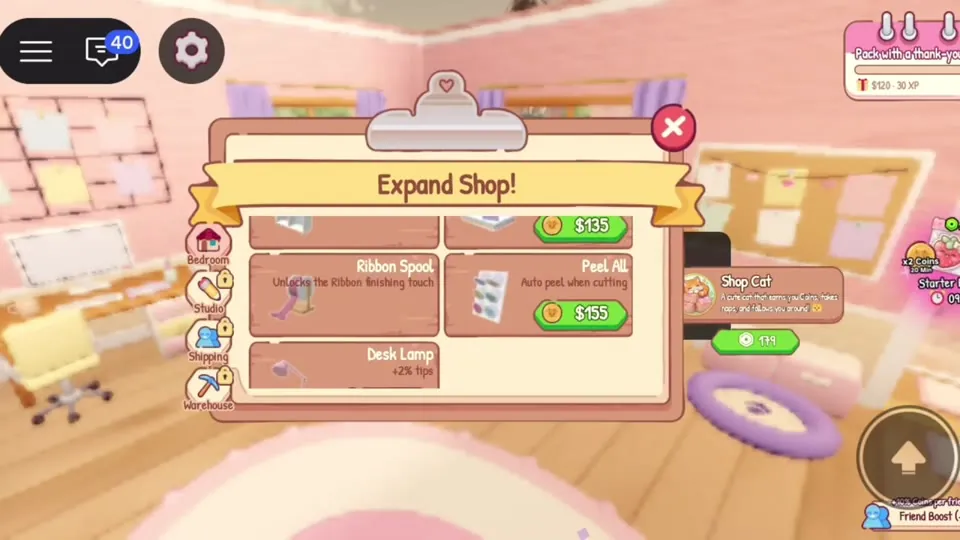
Buy them from Expand (tabs: Bedroom, Studio, Shipping, Warehouse). Highlights:
| Upgrade | Price | Effect |
|---|---|---|
| Order Clipboard | $15 | Hold 3 orders at once |
| Box Organizer | $35 | See the perfect box size |
| Big Paper Tray | $35 | Print 3 more per batch |
| Printer Turbo | $85 | Print 25% faster |
| Postage Stamps | $100 | Every shipment pays 3% more |
| Social Media Post | $1k | Orders arrive 15% sooner |
| Request Board | $1.1k | Special requests pay 20% more |
Levels & expansion
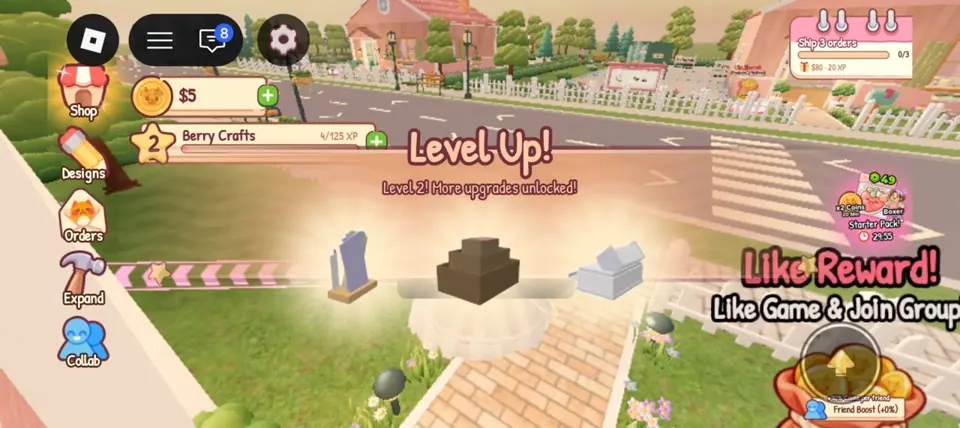
Shipping and quests give XP. Level 2 unlocks more upgrades; products unlock at 5, 8, 13 and 17. Unlocking the Craft Studio gives the Moving Out badge (30.6% of players), and the end goal is the Warehouse.
Workers
The description promises you can hire workers, but the hiring screen hasn't appeared in public gameplay yet to be verified. What we know →
Collab & friends
Press Collab to invite players to print and pack in your shop. Friends add a Friend Boost. Servers hold 6. Collab →
Game passes
| Pass | Price |
|---|---|
 x2 Coins x2 Coins | R$399 |
 x2 XP x2 XP | R$274 |
 VIP VIP | R$249 |
 Holographic Products Holographic Products | R$199 |
 Shop Cat Shop Cat | R$179 |
 More Design Tools More Design Tools | R$149 |
 Faster Printer Faster Printer | R$114 |
| Bigger Catalog / Goodie Designer | R$99 each |
| Plushie Goodie | R$84 |
| Auto Arrange | R$74 |
Robux shop
Coin Tier 1–5 cost R$29, 59, 129, 249 and 399. Packs: Mini Starter R$29, Starter R$49, Goodie R$49, Growing Shop R$99, Golden Shop R$299, Halloween Goodie Crate R$99. Shop →
Badges
| Badge | How | Rarity |
|---|---|---|
 Welcome Welcome | Join | 100% |
 First Masterpiece First Masterpiece | Draw your first design | 100% |
 First Delivery First Delivery | Ship your first package | 100% |
 Moving Out Moving Out | Unlock the Craft Studio | 30.6% |
 Five-Star Shop Five-Star Shop | Be a 5-star rated shop | 7.8% |
Events
Goodie Customization 🎨 runs until October 31, 2026, 9:00 PM PKT with an exclusive Halloween goodie crate. A mystery "???" update follows from Oct 31 to Nov 7. Events →
Tier list
S-tier upgrades: Printer Turbo, Big Paper Tray, Postage Stamps, Order Clipboard. Best pass: x2 Coins; best value: Plushie Goodie. Full tier list →
Updates
Released Oct 17; seven patches Oct 19–22; Halloween crate Oct 24; gifting and new shop packs Oct 26. Update log →
Scripts & safety
We don't share scripts. Exploits risk bans, malware and stolen accounts – use upgrades and Collab instead. Safety guide →
Sources: Roblox game page and public APIs (Oct 27, 2026, ~12:40 AM PKT), plus gameplay videos by NoobBlox, MENG MENG and AYA Roblox (Oct 24–26, 2026). Play it on Roblox · Future CEOs group.
Video: My Small Business full guide
My Small Business FAQ
What is My Small Business on Roblox?
A cozy tycoon by Future CEOs where you run an online shop: design products, print and cut them, pack customer orders with goodies, upgrade your shop and grow from a bedroom into a warehouse.
Are there codes for My Small Business?
No. As of October 27, 2026 the game has no codes and no code redeem box.
How do you make money fast in My Small Business?
Print only the themes customers order, use the smallest box for a +10% perfect-fit tip, save big goodies for big orders, and buy Order Clipboard, Big Paper Tray, Printer Turbo and Postage Stamps early.
What level unlocks new products?
Bookmarks need the $30 Bookmark Cardstock upgrade. Greeting Cards unlock at level 5, Acrylic Charms at 8, Luggage Tags at 13 and Art Prints at 17.
How many badges are in My Small Business?
Five: Welcome, First Masterpiece, First Delivery, Moving Out and Five-Star Shop.
Can you play My Small Business with friends?
Yes. Use the Collab button to invite friends to print and pack in your shop, and get a Friend Boost. Servers hold 6 players.